

Part 1 explains how to add people profiles to the E-wing and S-wing listings. Part 2 explains how to add people to the E-wing or S-wing Chair block to the right column.
Part 1 - People profiles to E-wing and S-wing listings
Step 1 - Login, navigate to the person's profile page and select the Edit tab.
Step 2 - Scroll down and select Category on right column to view the Category options. In the Tags field begin to type either "ev" or "so" and let the autofill complete, then select the autocomplete tag.
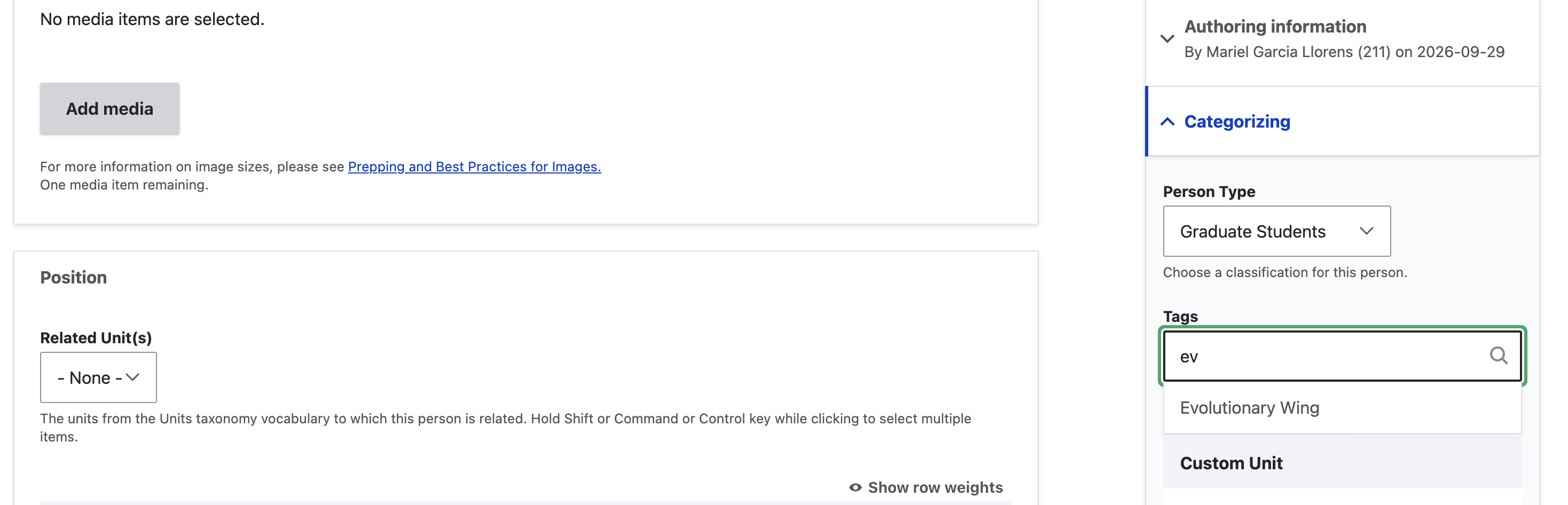
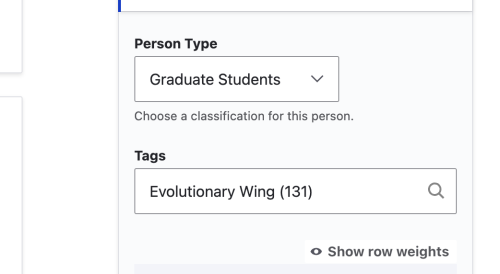
Step 3 - Make sure the correct Tag is selected, it will have and ID number next to it in parathesis. It will either be "Evolutionary Wing (131)" or "Sociocultural Wing (136)". Be careful not to accidentally re-ad the Tag.
Step 4 - Scroll to the bottom of the page and select Save.
Part 2 - E-wing or S-wing Chair block
Step 1 - Login, navigate to the person's profile page and select the Edit tab. (Same as Part 1)
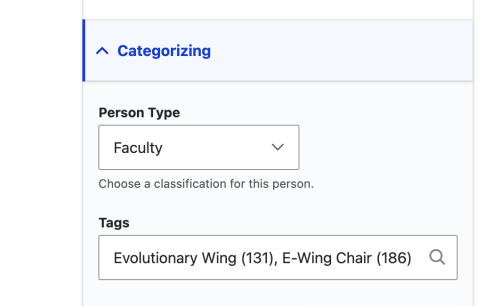
Step 2 - Scroll down and select Category on right column to view the Category options. In the Tags field begin to type either "ev" or "so" and let the autofill complete, then select the autocomplete tag. (Same as Part 1 but add a comma and a second Tag which will either be "E-Wing Chair (186)" or "S-Wing Chair (181)")
Step 3 - Scroll to the bottom of the page and select Save.